Free AI Sales Script Generator
You know the product. Writing the call script that sells it is a different job, and it's the one that keeps getting pushed to next week.
CallPrompter writes the first version for you. Give it your product description and what you want out of the call, and it generates a branching sales script you can edit before you dial. The 7-day free trial includes the full script editor at USD 0, with no credit card.
What the generator gives you
A CallPrompter script branches. It follows the conversation across different personas and scenarios instead of running top to bottom, which is what stops it sounding read aloud.
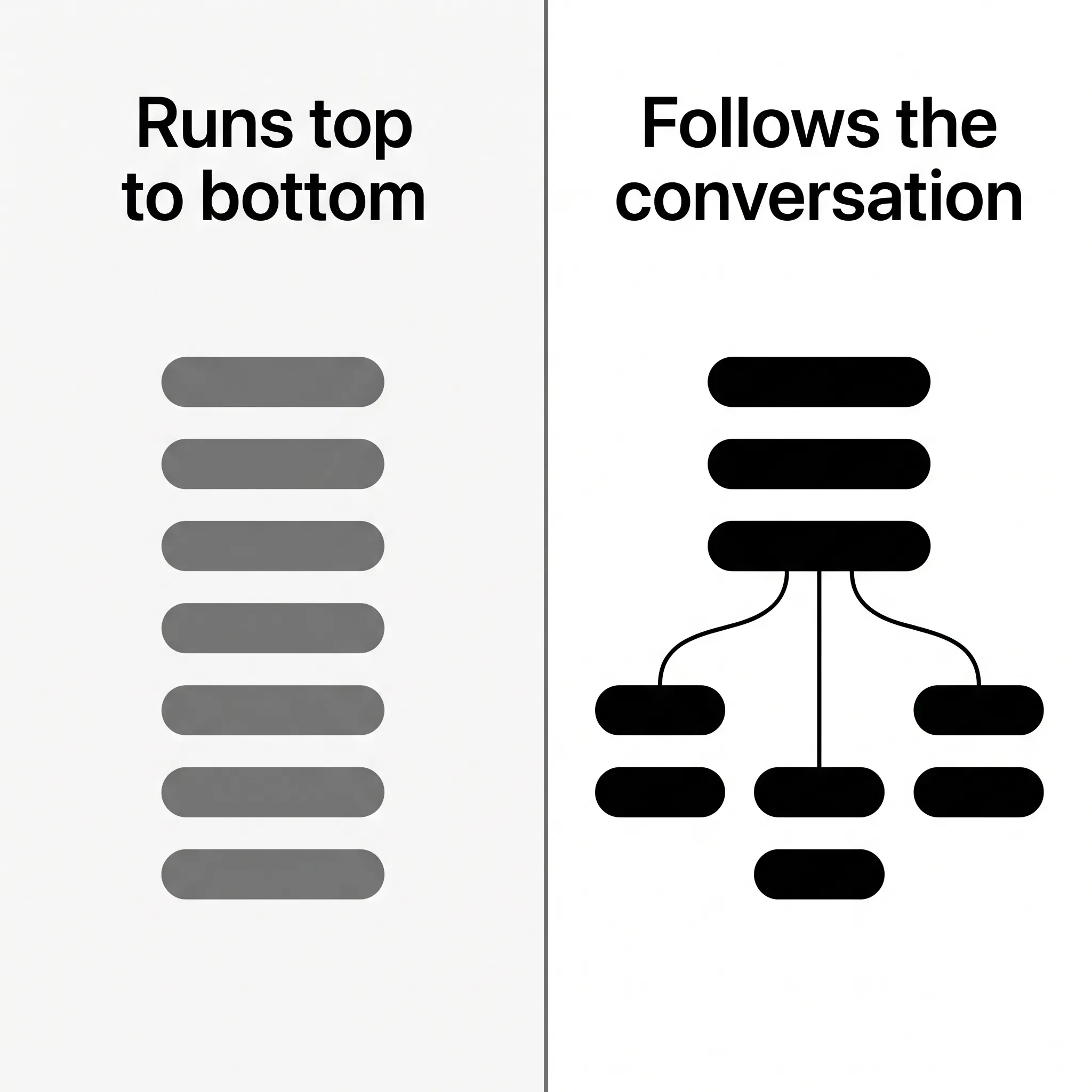
A generated script arrives with the three things you need in front of you when the call starts:
- A branch for each persona and scenario you sell into
- Responses to the objections that come back most often
- Discovery questions that dig into what the buyer needs
What you give it
Two inputs: a description of your product, and your goals for the call. The AI works from those, so the first version already names your product and aims at the outcome you asked for.
Setup is under 5 minutes: create a script, add objections, start calling.
The script stays yours to edit
The full script editor is where the generated version becomes your version. Rewrite the lines that don’t sound like you. Add the objections you keep losing to, with the answers you want to give. Load your product knowledge and build the personas you actually sell to.
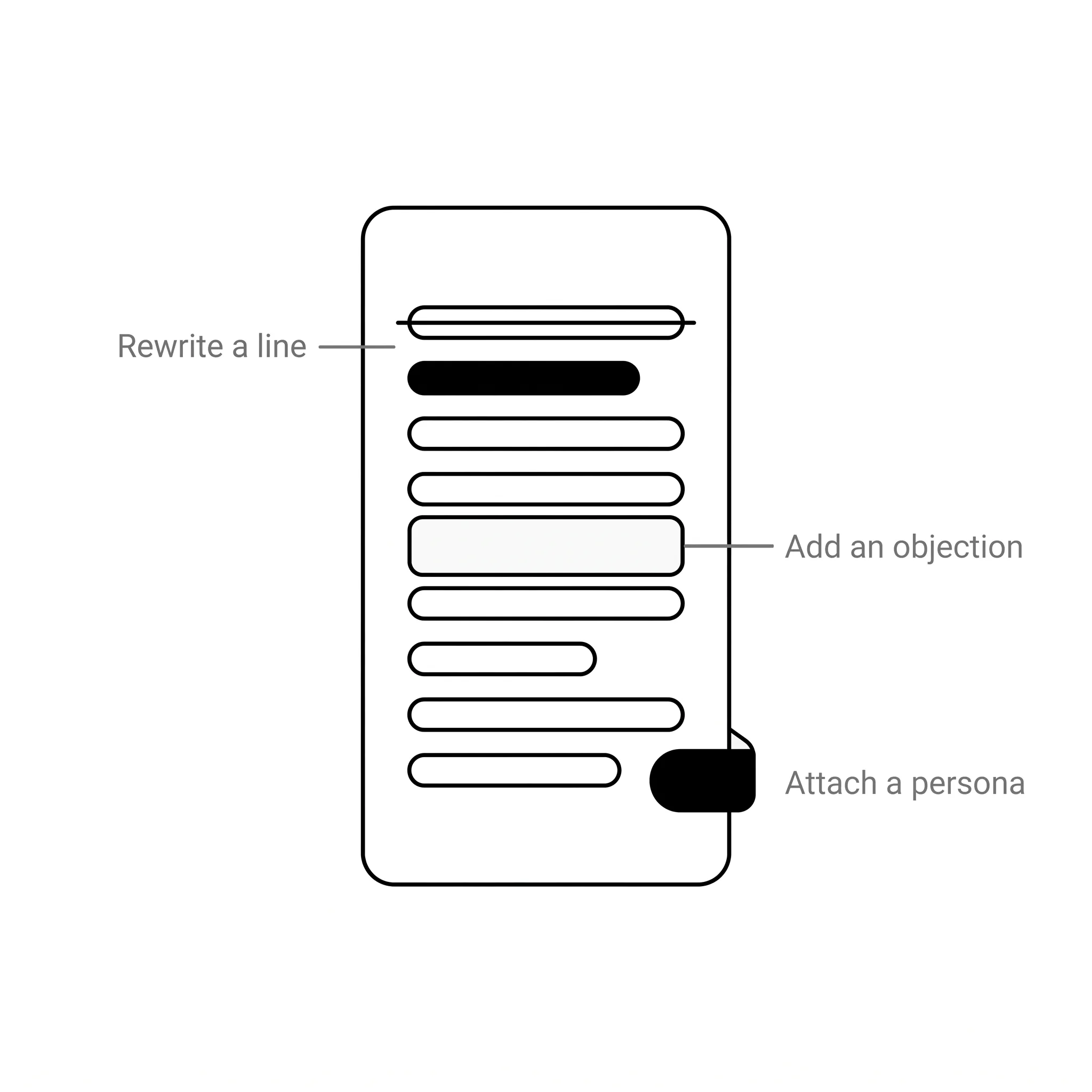
Everything sits in one place: the scripts, the objection library and the personas, ready to reuse on the next call.
From a written script to prompts on your screen
A script in a document is a script you forget under pressure. On a paid plan, CallPrompter runs the same script live.
It tracks where you are in the conversation using semantic matching rather than keyword spotting, so the prompts stay in step with what is being said. When it detects an objection, the response you wrote surfaces at that moment. Discovery questions arrive at the point they fit.
What that looks like for a new SDR, from writing the discovery questions to seeing the next one beside the meeting window, is set out in how discovery call coaching works on one script.
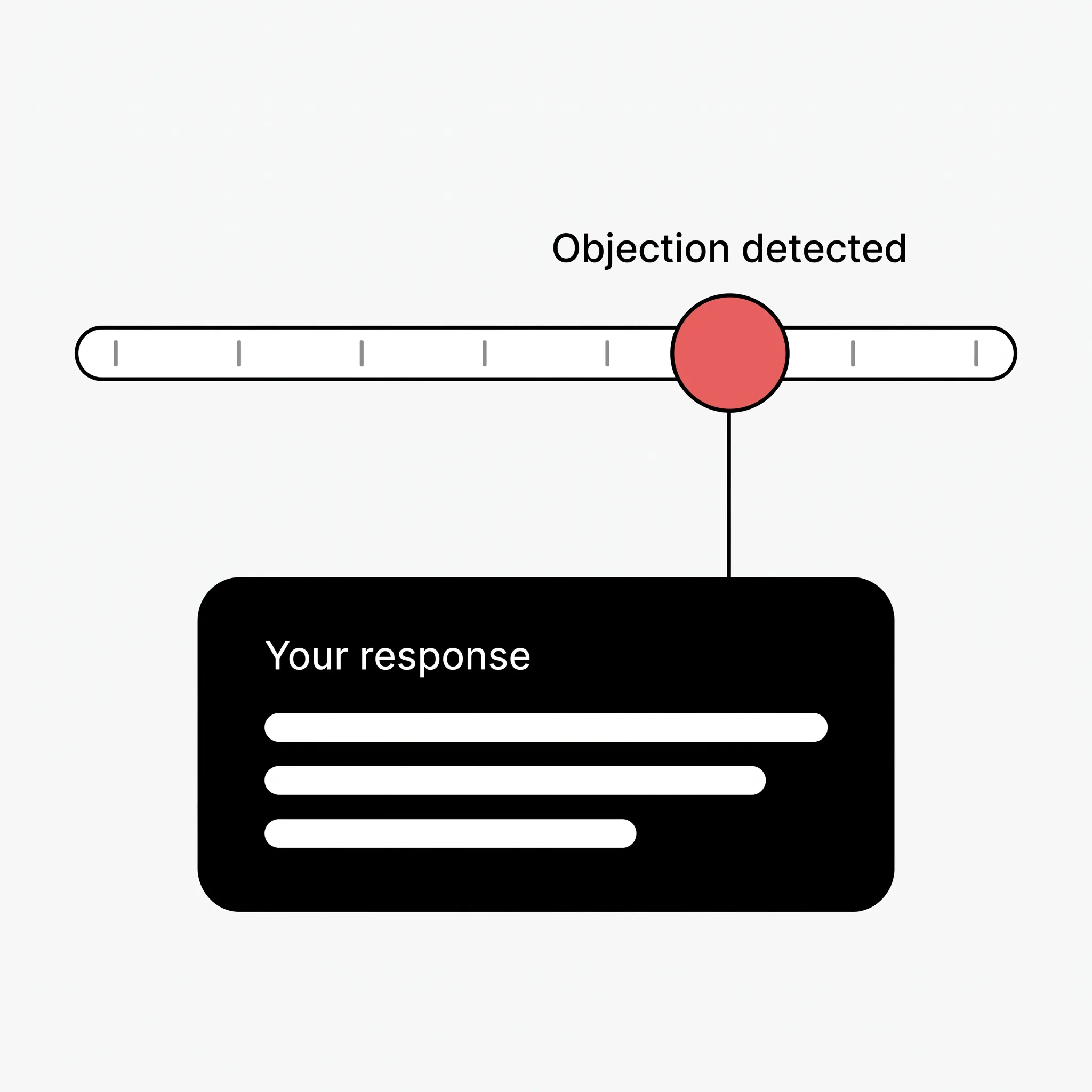
The prompts render at operating-system level, so they’re designed to stay off screen shares and recordings. You can present slides and run a demo while the script is still guiding you. CallPrompter asks for your explicit consent before it captures any audio, and shows an indicator whenever transcription is running.
If a meeting notetaker is already running on your calls, the prompts sit beside it, with a second surface and a second consent line to account for.
Say the script out loud before a prospect hears it
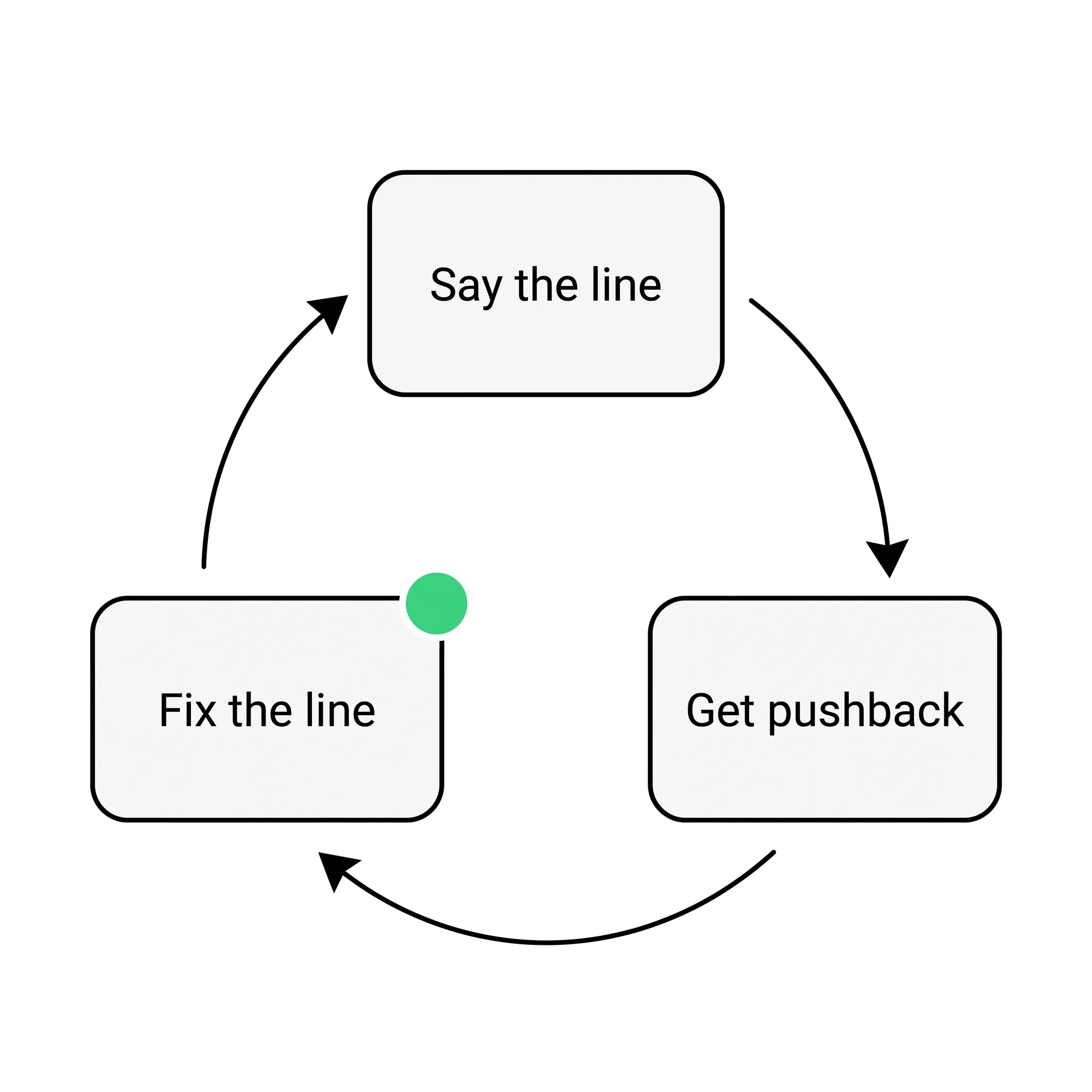
The trial includes 30 minutes of AI practice mode. You run the generated script against an AI buyer that pushes back, hesitates and tests you, which is how you find out which line you can’t say out loud yet.
What the free trial covers, and what it doesn’t
USD 0 for 7 days. No credit card.
| What you get | In the 7-day trial |
|---|---|
| Full script editor, with branching scripts | Yes |
| Objection library and product knowledge | Yes |
| Scripts, objections and personas | Yes |
| AI practice against AI buyers | 30 minutes |
| Live call coaching | No, paid plan only |
After the trial there are no surprise charges and no commitment.
Who gets the most out of a generated script
| Who you are | What the generator changes |
|---|---|
| Founder-sellers | You know the product better than anyone. The script supplies the words that go with the knowledge. |
| New to sales | You start from a structured script instead of a blank page, and ramp in days rather than months. |
| SDRs and BDRs | Cold-call volume. One script, branched for the personas you dial all day. |
| Sales leaders | Generate the first version, then put your best closer’s playbook and a shared objection library in front of the whole team. |
If you are rolling this out to a B2B software team rather than writing for yourself, what a SaaS team gets out of live prompting covers the demo and screen-share case and what day one actually costs.
What you need to run it
You build and manage scripts and your account in the web application at app.callprompter.app. Customer records sit inside the product as well, with names, companies and notes, so the history is in front of you when the call starts. The desktop app is what puts the prompts on your screen during a live call: macOS 14+ or Windows 10+. There’s also a Chrome extension.
CallPrompter captures system audio, so Zoom, Teams, Google Meet and ordinary phone calls all work the same way.
Where your scripts and transcripts sit
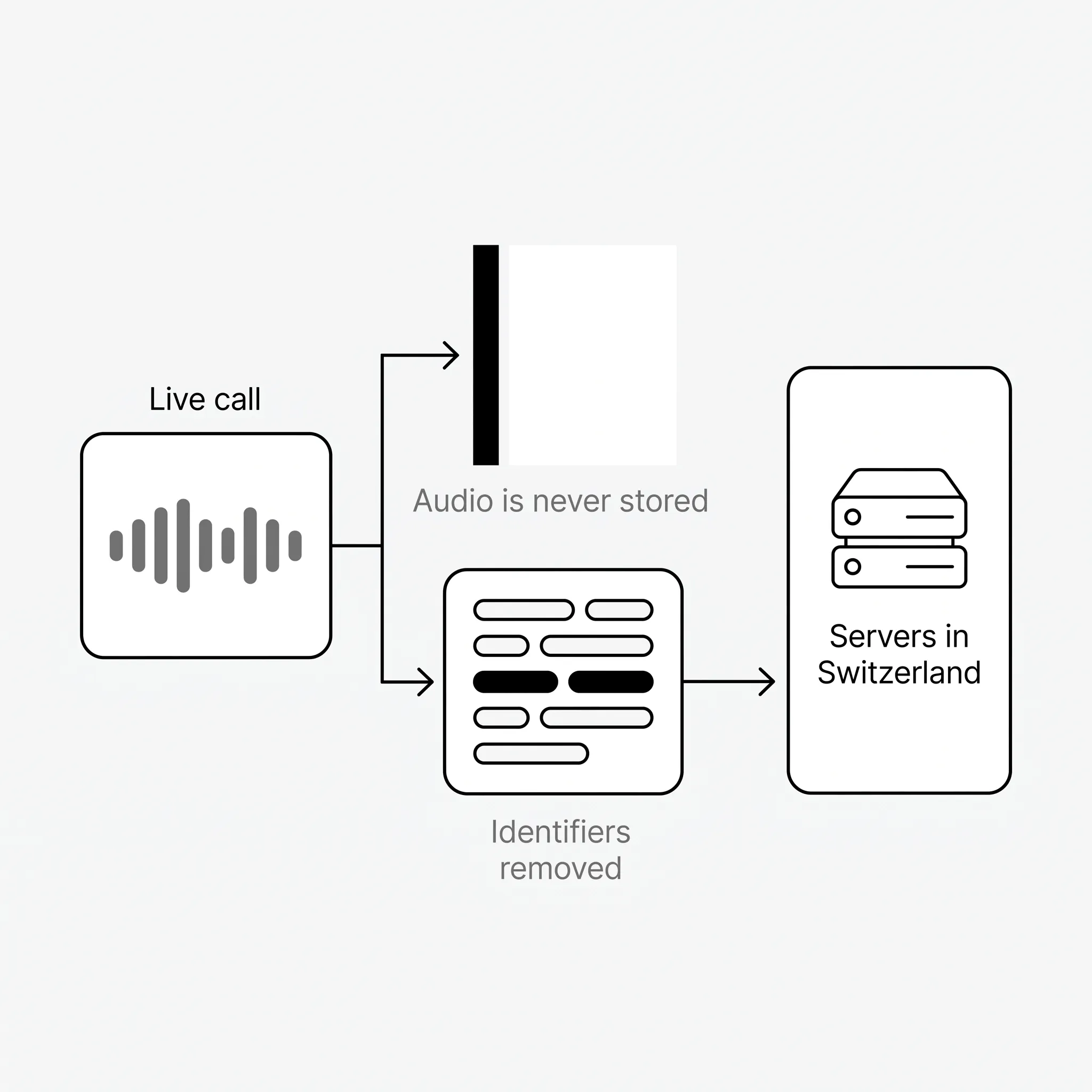
All primary data sits on servers in Switzerland, hosted by Infomaniak: account information, customer records, scripts, call transcripts and analysis results. No customer audio reaches CallPrompter’s servers, and audio is never stored as an audio file. Before any transcript text reaches an AI provider, names, company names and other identifiers are removed.
Full details are in the privacy policy.
Who built it
CallPrompter is built by an engineer with twenty-five years in software, including fifteen years building learning platforms, and is operated from Switzerland.
Questions about the AI sales script generator
Is the AI sales script generator free?
The 7-day trial costs USD 0, needs no credit card, and includes the full script editor. Live call coaching is the part that requires a paid plan.
What does the generator need from me?
Your product description and your goals for the call. Nothing else has to be written before you see a first script.
Can I edit the script the AI writes?
Yes. The generated script opens in the full script editor, where you rewrite lines, add objections with your own answers, and build personas.
What makes a branching script different from a call script template?
A template runs top to bottom and expects the buyer to cooperate. A branching script follows the conversation across personas and scenarios, so the next line matches what was just said.
What languages can the script handle?
CallPrompter handles calls in English, German and French.
Do I have to install anything to write a script?
No. You build and manage scripts in the web application. The desktop app is what you install when you want the prompts on screen during a live call.