See what your reps see on every call.
CallPrompter runs beside your call, not inside it. Here is every part of the app, screen by screen.
Out of the way in one tap
When you want the screen back, the panel folds down to a single bar along the bottom. You lose the detail, never the read: the numbers keep moving in the bar.
- One bar along the bottom, the rest of the screen yours again
- Talk ratio, monologue, deal temperature and sentiment keep updating
- Expand it back mid-call, without touching the conversation
Coaching your prospect never sees
One toggle decides what leaves your machine. With Visible off, the panel keeps working on your screen and is simply not in the picture the other side receives, so you can share your demo with the coaching still running.
- Excluded from the screen share itself, not just moved out of the way
- Works in Zoom, Microsoft Teams and Google Meet, and in recordings
- Nothing joins the call as a bot, so nothing shows in the participant list
Read the room, not the script
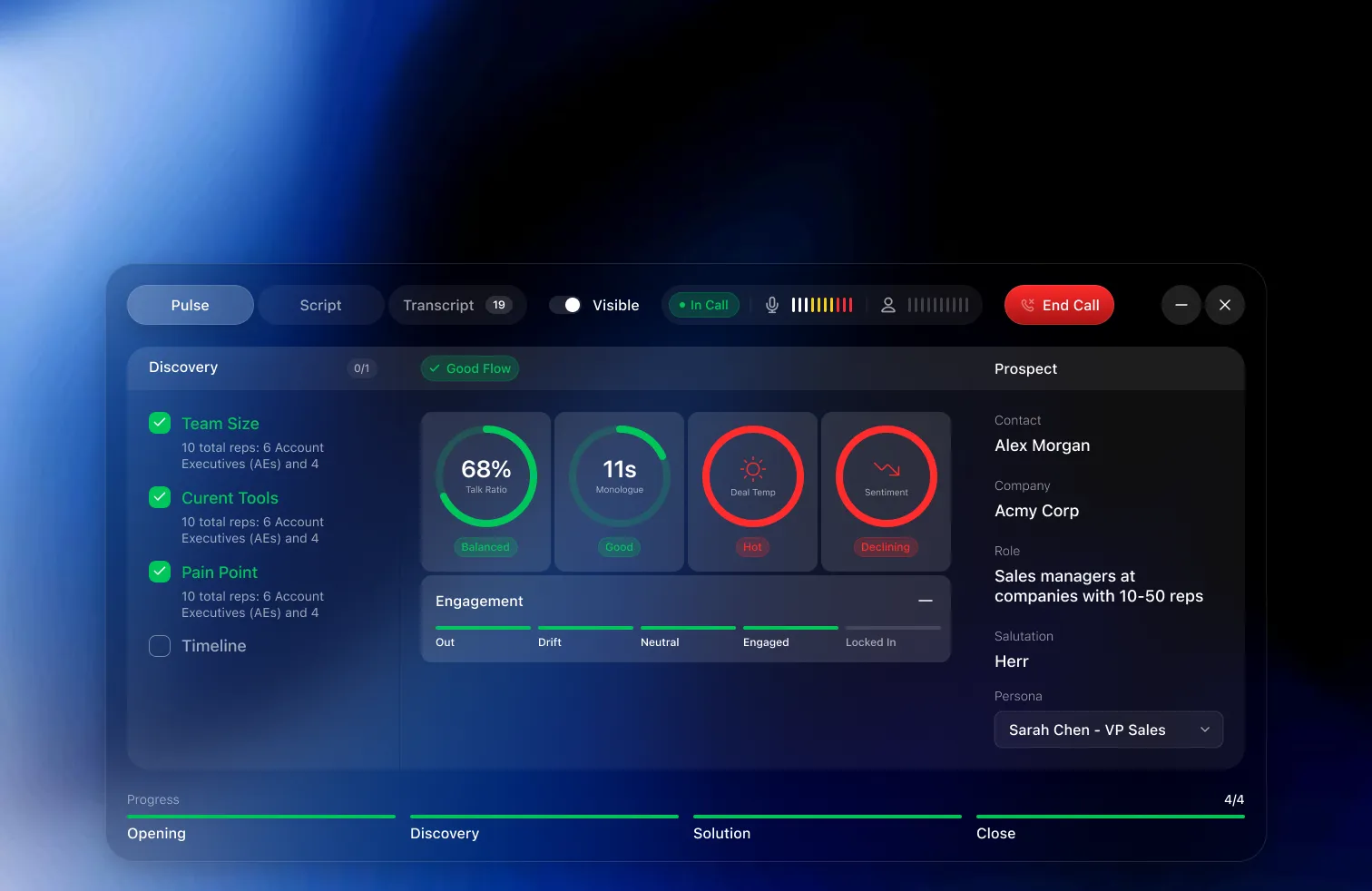
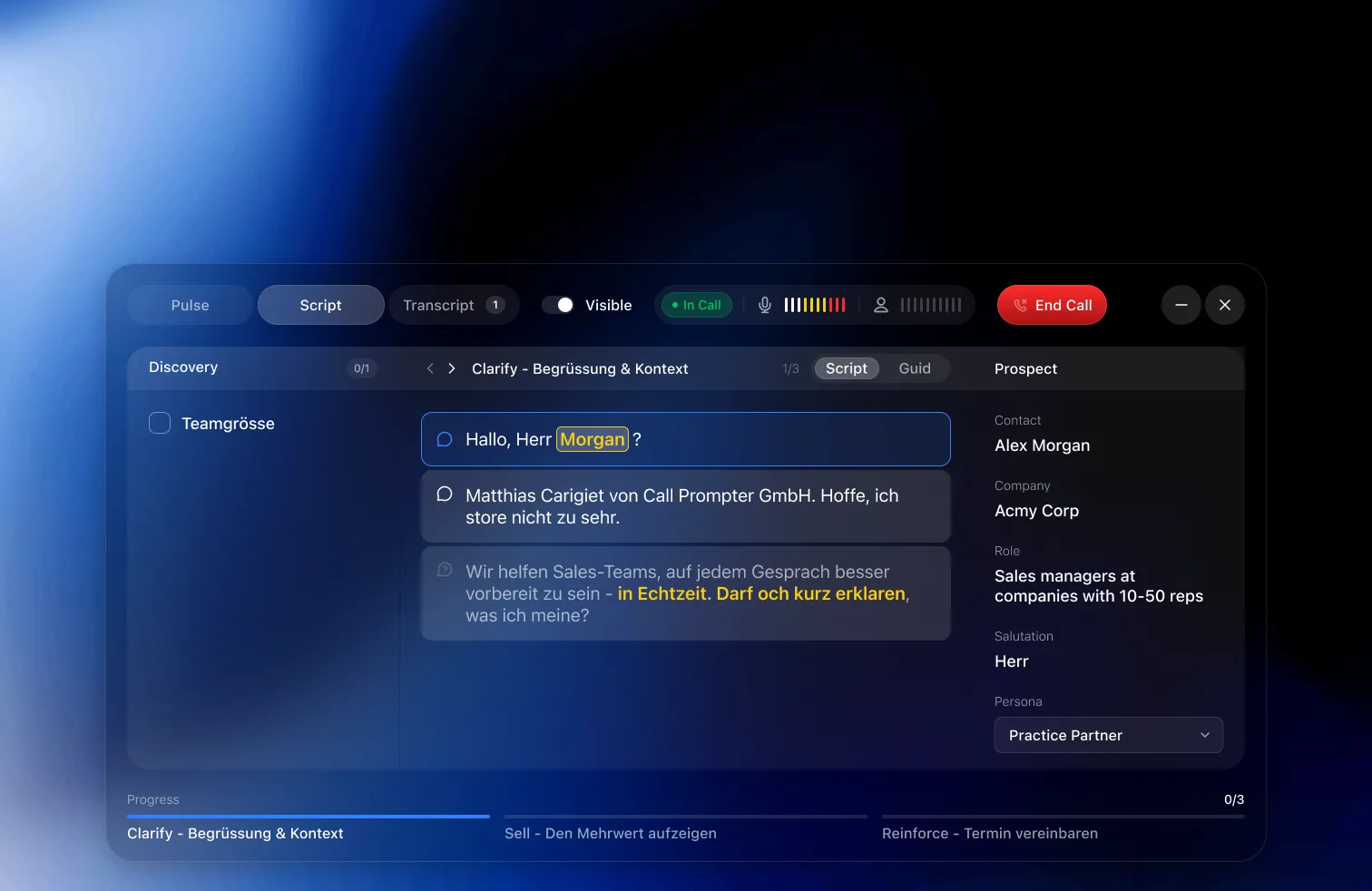
One panel, three tabs over the same call. Pulse reads the room, Script carries the full wording for the lines you want word for word, and Transcript keeps the conversation as it happens.
- Key phrases highlighted, so one glance is enough
- Talking points, questions and responses, each marked by type
- Stages tracked along the bottom, discovery through pricing
- Set the persona and the script follows who you are talking to
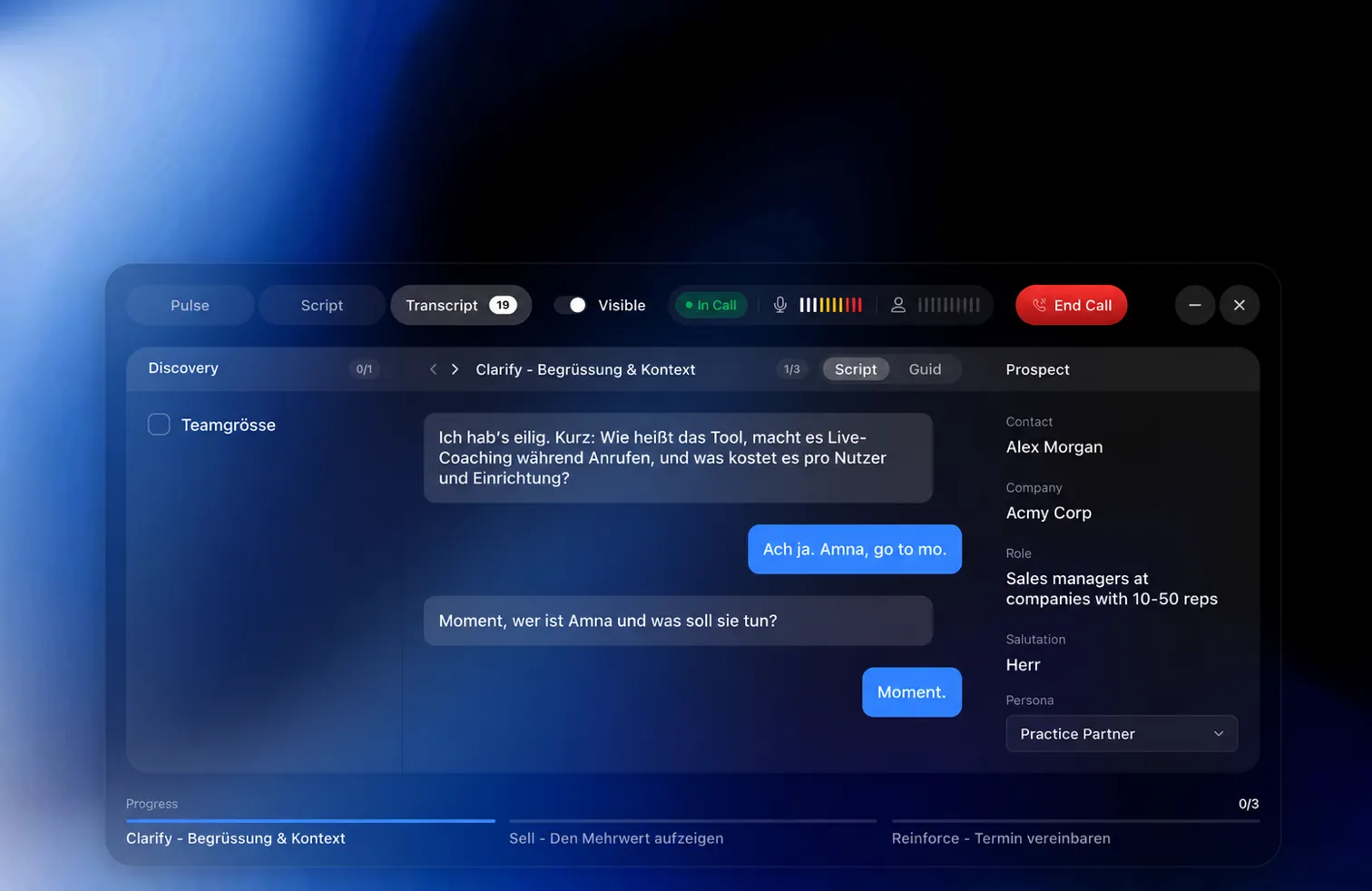
The checklist fills itself while you talk
Team size, current tools, pain point, timeline. You ask, they answer, and the panel ticks each one off with what they actually said. Nothing to type, nothing to write up afterwards.
- Answers captured as the prospect gives them, in their own words
- Open items stay visible, so you know what is still missing
- The stage bar tracks how far through the call you are
- Leaves the call with the notes already written
The nudge arrives while it still matters
When the call turns, a card appears over whatever you are looking at. An objection with the answer that works, a question worth asking, or a reminder to build rapport before you pitch.
- Objections flagged with the response your team already trusts
- Questions to ask, phrased for where the conversation is
- Coaching nudges, like building rapport before the pitch
- Colour-coded by type, and dismissed with one click
Everything behind the call
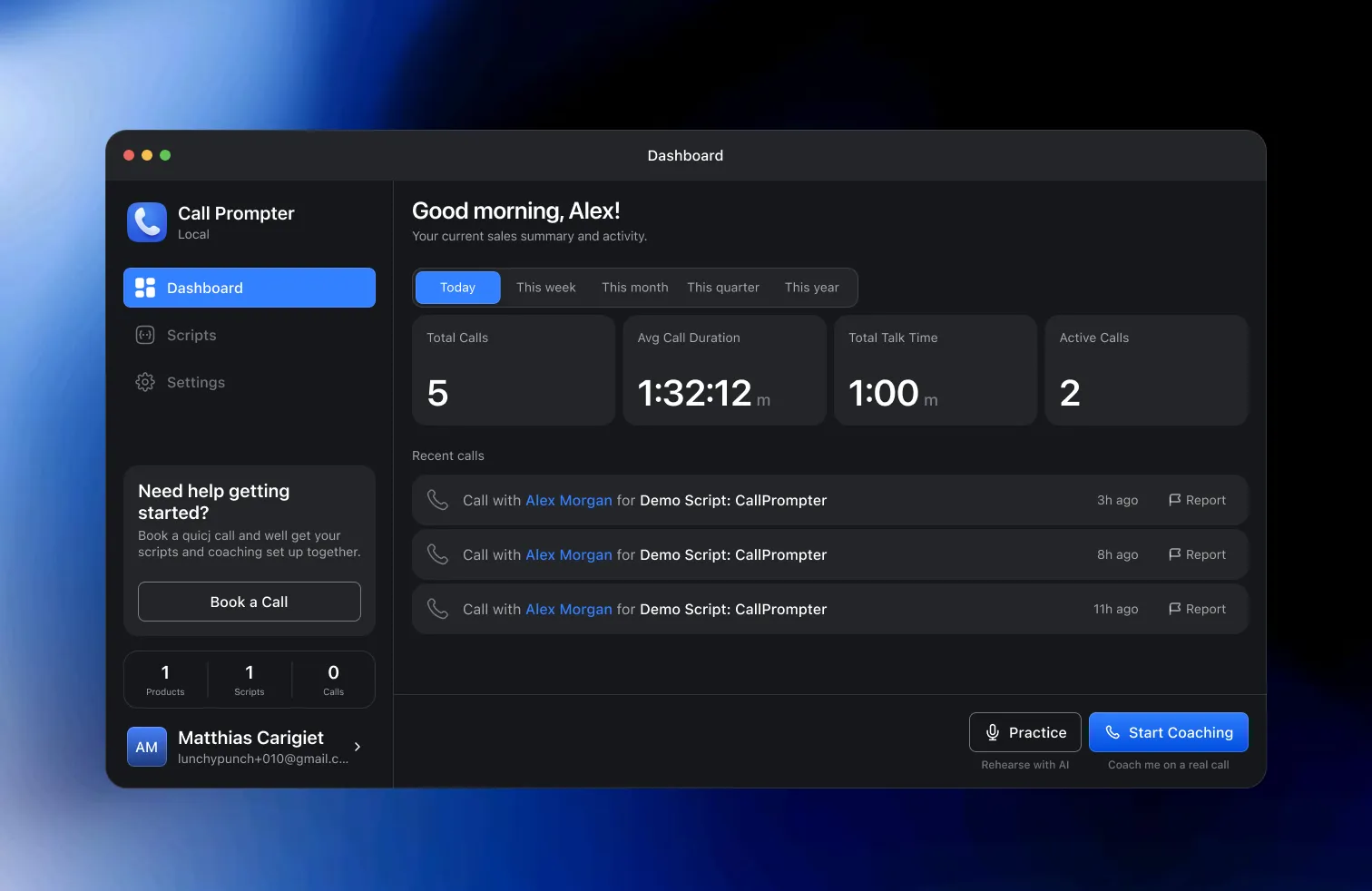
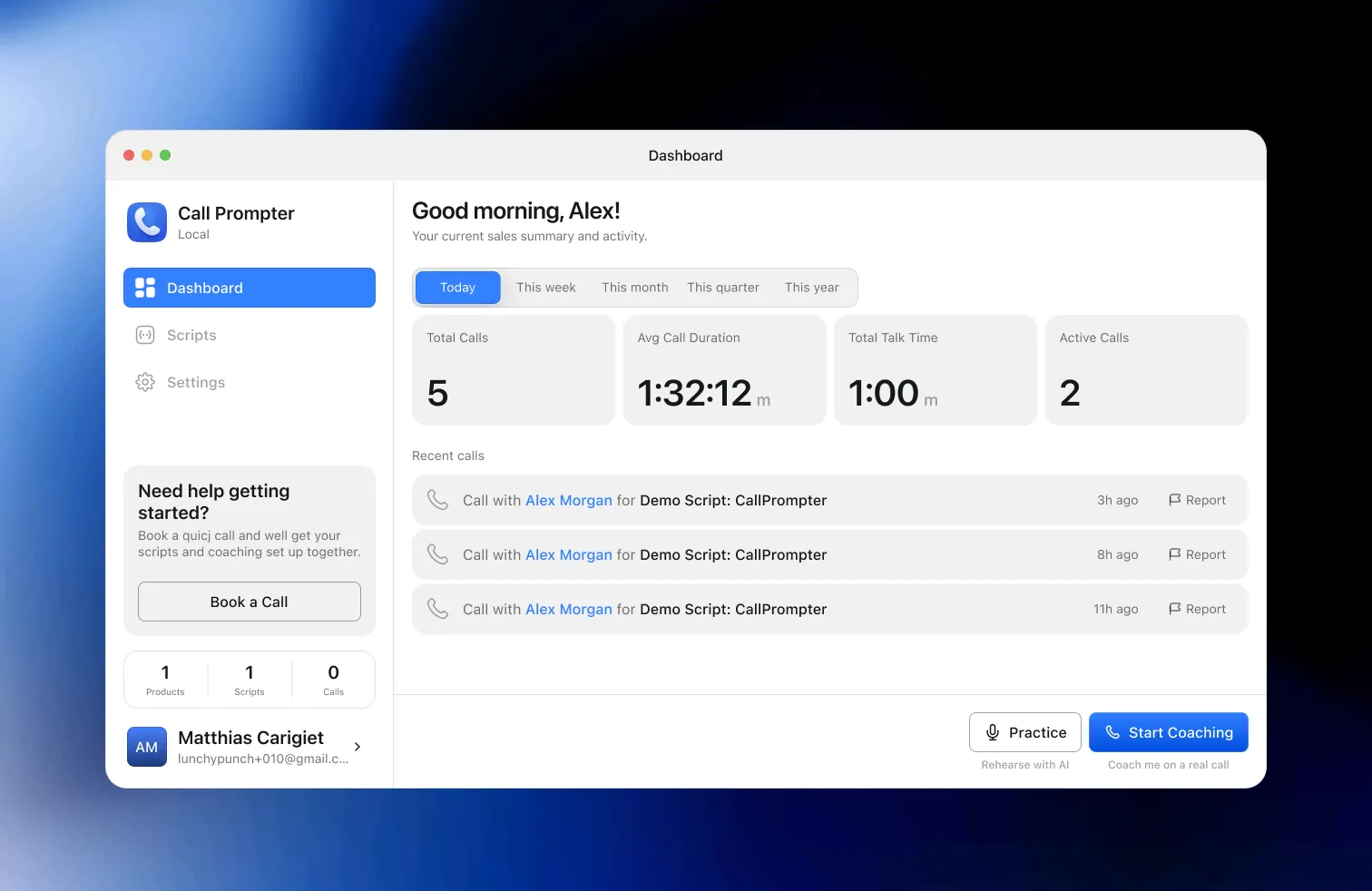
Calls, talk time and recent activity in one view, so coaching needs show up in weeks instead of quarters. It follows your system theme, dark or light.
- Call volume, average duration and total talk time per period
- Recent calls with the script each one ran on
- Today, this week, this month, this quarter or this year
- Dark and light, following whatever your machine is set to